
How Customer Support Teams Should Evaluate WhatsApp Business API Platforms for Team Collaboration
Your support team answers the same WhatsApp question three times because nobody knows who owns the chat. That confusion costs you customers who message once and expect one coherent reply. Picking a WhatsApp Business API platform without testing collaboration first means paying for a tool your agents quietly work around.
This article shows you how to evaluate platforms against your team's real workflow, from shared inboxes and assignment rules to handoffs, collision detection, and access control. You will also get a practical scorecard and trial checklist so you can compare pricing and multi-channel coverage without getting misled.
Why Team Collaboration Is the Make-or-Break Criterion for WhatsApp Business API Platforms
When evaluating a WhatsApp Business API platform, the depth of its team collaboration features often determines whether your support operation scales smoothly or collapses under volume. The API itself is engineered for scale, with throughput, rate limits, and messaging limits designed to handle enormous conversation volumes. But raw capacity means little if the people behind the screen cannot coordinate their work.
A platform can pass every technical check and still fail your team. The API moves messages; collaboration tools move work. Without assignment rules, shared visibility, and internal coordination, agents end up operating in silos while customers wait. For related context, see our guide to Why Physical Therapists and Chiropractors Clash.
Consider a support team of 20 agents handling 10,000 conversations per day. That is roughly 500 conversations per agent, a load that demands order. If the platform lacks agent assignment, routing rules, or a shared inbox, the same customer question may be answered twice while another sits untouched for hours. Multiply that confusion across a full day and the failure becomes structural, not accidental.
Poor collaboration shows up in predictable ways:
- Missed messages when no one owns a conversation and no routing rule sends it to an available agent
- Duplicated responses when two agents reply to the same thread because the team inbox lacks status indicators
- Frustrated agents who cannot see whether a colleague already escalated an issue or left an internal note
- Invisible workloads where a few agents absorb most conversations because no workload balancing exists
These problems compound against the metrics that customer support leaders track most closely. Response time SLAs slip when conversations sit unassigned. First-contact resolution rates fall when agents lack context from private notes or @mentions. Agent utilization becomes uneven and misleading when no one can see who is handling what.
This is why collaboration deserves the same scrutiny as API pricing, throughput, and messaging limits during platform evaluation. A Business Solution Provider may offer a capable Cloud API or on-premises API integration, but the agent-facing layer is what your team actually lives in every day. Collaboration is not a nice-to-have feature; it is the operating system of your support floor.
When comparing platforms, ask direct questions. Does the shared inbox show conversation ownership in real time? Can supervisors reassign work with round-robin routing or skill-based routing? Are internal notes and @mentions available so agents can resolve issues without exposing private coordination to customers?
Teams that skip these questions often discover the gap only after going live, when volume exposes every missing workflow. Agent experience and response consistency are tightly linked, and internal coordination is best treated as a first-class requirement rather than an afterthought. A platform that scales messages but not people will eventually force your team to scale headcount instead of efficiency.
Start With Your Team's Actual Workflow, Not the Feature List
Before diving into feature comparisons, map out how your team currently handles conversations, escalations, and handoffs to avoid being dazzled by irrelevant capabilities. A WhatsApp Business API platform is only as useful as the workflow it supports. If you cannot describe your process in plain terms, no demo will help you judge whether a vendor fits.
Feature-driven evaluations tend to produce shelfware: tools that look impressive in a sales call but sit unused once the trial ends. Vendors will highlight automation, analytics, and AI, yet none of that matters if your agents cannot see who owns a conversation. Start with the work, then match tools to it.
Document the basics first. Write down how a new message arrives, who reads it, how it gets assigned, and what happens when the first agent cannot resolve it. Note where delays build up, where messages get lost, and where customers repeat themselves because context was not passed along.
This exercise also exposes gaps you may have accepted for years. Perhaps escalations rely on a personal chat thread. Perhaps after-hours messages wait until morning with no acknowledgment. Naming these problems gives you concrete criteria for the platform evaluation.
Once the workflow is on paper, the two steps below become far easier. You will know which conversations need owners, which rules must be enforced, and which features are genuinely non-negotiable. That is the foundation for a disciplined WhatsApp Business API comparison.
Mapping Conversation Ownership: Who Handles What, and When
Create a RACI matrix for your support team that defines who is responsible, accountable, consulted, and informed for each type of customer inquiry. This sounds formal, but it prevents the most common failure in multi-agent setups: everyone assumes someone else has replied.
Begin by categorizing inquiries. Most support teams see a mix of sales questions, technical issues, billing matters, and general account help. Group them, then decide which team or individual owns each category.
- Sales inquiries: route to the sales team, with a backup agent named for peak hours
- Technical support: route to tier-one agents, escalate to tier two when unresolved
- Billing questions: route to the billing team, with a team lead as escalation point
- Account changes: route to a shared pool using round-robin routing
Next, choose a routing strategy. Round-robin routing spreads conversations evenly across available agents. Skill-based routing sends specialized queries to people trained for them. Workload balancing watches active conversation counts so one agent does not drown while others sit idle.
Write explicit escalation rules. A simple example: for billing inquiries, route to the billing team; if no response in five minutes, escalate to the team lead. Rules like this remove guesswork and make handoffs predictable.
Do not forget after-hours and overflow. Decide whether messages wait until morning, route to an on-call agent, or receive an automated acknowledgment with an expected reply window. Overflow matters too: when the queue grows, does it spill to a second team or simply slow down?
Document all of this before you sit through platform demos. Vendors will ask how you assign work, and a written map lets you test their answers against reality instead of nodding along.
Defining Your Non-Negotiables Before You Take Demos
List the absolute must-have collaboration features that your team cannot function without, such as shared inboxes or collision detection, and use this list to filter vendors early. A non-negotiable is not a preference. It is a requirement that, if missing, ends the evaluation.
Draw these directly from your workflow mapping. If two agents frequently reply to the same customer, collision detection is not optional. If your team passes context between shifts, internal notes and @mentions belong on the list.
A sample non-negotiable list might include:
- A shared inbox with real-time updates across all agents
- Agent assignment rules, including round-robin and skill-based routing
- Internal notes and private notes visible only to the team
- Collision detection that warns when another agent is replying
- Canned responses and quick replies for common questions
- Clear escalation paths with visibility for team leads
- Support for the messaging limits and throughput your volume requires
Separate must-haves from nice-to-haves. Analytics dashboards and advanced automation are valuable, but they should not outrank the basics of multi-agent access and message ownership. When a demo drifts toward flashy extras, return to the checklist.
A simple scoring system keeps decisions honest. Give each non-negotiable a weight, then score every vendor against it. Any platform that fails a must-have is set aside, regardless of how polished the presentation was.
Finally, remember that platform evaluation is not a single meeting. Ask vendors how their tool handles your specific escalation example, your after-hours rule, and your busiest queue. If the answer is vague, that is useful information too.
Core Collaboration Capabilities to Test in Every Platform
Once you have your non-negotiables, focus your evaluation on these three pillars of team collaboration: shared inbox, handoff mechanics, and agent-supporting automation. These capabilities form the backbone of day-to-day operations for any customer support team working inside the WhatsApp Business API.
Weak performance in any one of them shows up quickly as duplicated replies, dropped conversations, or frustrated agents juggling multiple screens. The sections below break down what to test, how to test it, and the pitfalls that separate a workable platform from one that slows your team down.
Shared Inbox, Assignment Rules, and Internal Notes
A shared inbox is the central hub where all conversations converge; test how well it handles assignment rules and internal notes to prevent chaos. Real-time synchronization matters most here. If two agents open the same thread and see different message states, your team inbox is already failing.
Look for filtering by status, assignee, and channel, plus search that reaches back through conversation history. Without these, agents waste time scrolling instead of resolving issues. During platform evaluation, ask vendors to demonstrate how the agent inbox behaves under load, not just in a clean demo.
Assignment rules deserve close scrutiny. Compare automatic versus manual assignment, and check whether the platform supports:
- Round-robin routing that distributes conversations evenly across available agents
- Skill-based routing that matches language, product line, or issue type to the right person
- Workload balancing that accounts for how many concurrent conversations each agent already holds
Internal notes are where team collaboration lives or dies. Confirm how notes are added, whether they can be private to one agent or visible to the whole team, and whether @mentions and agent tagging trigger notifications. A practical test: simulate a high volume of concurrent conversations and see if assignments happen automatically and notes reach only the right agents.
Common pitfalls include notes buried in email threads, no audit trail of who changed what, and assignment logic that ignores agent availability. Any of these turns a shared inbox into a shared mess.
Agent Handoffs, Collision Detection, and Team Visibility
Seamless agent handoffs and collision detection prevent two agents from responding to the same customer, which is critical for professionalism. A proper handoff transfers more than the conversation itself. It carries internal notes, prior context, and customer history so the receiving agent never asks the customer to repeat themselves.
Collision detection is the safety net. The platform should alert agents when a colleague is typing, has claimed a conversation, or has already sent a reply. Test this directly: have two agents attempt to respond to the same thread at the same moment and observe what the platform does. Does it lock the thread, show a warning, or let both messages through?
Team visibility rounds out the picture. Dashboards should show agent status such as online, away, or offline, current workload, and the state of conversation queues. This visibility supports workload balancing and helps supervisors spot bottlenecks before customers feel them.
Consider how the platform handles absence. If an agent is on leave or disconnected, conversations should auto-reassign rather than sit unanswered. Ask vendors how reassignment rules work, whether they are configurable, and whether supervisors get notified when queues back up.
Weak handoff mechanics produce the classic failure mode: a customer receives two different answers from two different agents. Strong mechanics make multi-agent access feel like one continuous conversation.
Automation That Supports Agents Instead of Replacing Them
The best automation handles repetitive queries and suggests responses, freeing agents to focus on complex issues without feeling sidelined. Distinguish clearly between agent-assist automation and full automation. Suggested replies, canned responses, and quick replies speed up agents while keeping them in control. Chatbots handle volume, but only if they escalate cleanly.
Evaluate whether automation integrates with the agent inbox. Can a human take over from a bot mid-conversation without losing context? Are suggested responses aware of what the customer just asked, or are they generic snippets? A bot that handles FAQs but escalates to a human with full context when sentiment analysis detects frustration is the pattern to aim for.
Message templates play a dual role in efficiency and compliance. Since the WhatsApp Business Platform operates under Meta's rules, templates must be approved before use, and conversation-based pricing applies to how sessions are billed. Check how the platform manages template libraries, versioning, and reuse across the team.
Watch for automation that creates dead-ends. If a bot cannot resolve an issue and offers no path to a human, customers disengage. The same applies to rigid menus that ignore what the customer actually typed. Automation should shorten the distance to resolution, not add a maze in front of it.
Evaluating Multi-Channel Coverage and Unified Team Inboxes
Customers expect to reach you on their preferred channel, so assess whether the platform unifies WhatsApp, Facebook, Instagram, and web chat into a single agent interface. If your customer support teams must open four separate tools to answer one question, response times suffer and context gets lost.
A unified team inbox is the feature that determines whether multi-channel support feels effortless or chaotic. The right platform shows every conversation in one queue, regardless of where it originated, so agents work from a single screen instead of juggling browser tabs.
Start your evaluation by mapping the channels your customers actually use. Then confirm the platform supports each one natively rather than through fragile workarounds.
- Channel coverage: Which channels does the platform connect? Look for WhatsApp Business API, Facebook Messenger, Instagram Direct, and web chat at minimum.
- Unified threading: Does the inbox merge a customer's history across channels into one conversation view?
- Agent training implications: A unified interface reduces onboarding time, but agents still need guidance on channel-specific tone and expectations.
Cross-channel continuity deserves its own test. A customer might message on Facebook, then follow up on WhatsApp an hour later. The agent who picks up the second message should see both in one thread, including prior replies, attachments, and internal notes.
Without that continuity, customers repeat themselves, and agents waste time asking questions that were already answered. Ask vendors to demonstrate this exact scenario during a demo rather than accepting a verbal promise.
Multi-channel inboxes also introduce friction that single-channel tools avoid. Message formats differ across channels: WhatsApp supports rich media, quick replies, and template messages, while other channels may not. Rate limits and throughput caps vary by channel too, which affects how quickly your team can respond during peak volume.
Evaluate how the platform surfaces these constraints. Does it warn agents when a channel is throttled? Can routing rules shift work to channels with available capacity? These details separate a polished unified inbox from a basic aggregator.
Finally, consider how multi-channel coverage interacts with team collaboration features. Shared inboxes, agent assignment, and internal notes become more valuable, not less, when conversations arrive from many sources. A platform that handles channels well but collaboration poorly will still leave your team fragmented.
Use a simple scoring checklist during evaluation:
- Which channels are supported natively, and which require third-party connectors?
- Does one thread capture a customer's full history across channels?
- How are channel-specific rate limits and formatting differences handled?
- Do routing rules and agent assignment work across all channels consistently?
- What training will agents need to work confidently in a unified inbox?
Score each platform against these questions using publicly available documentation and vendor demos. The goal is not the longest channel list, but the cleanest experience for both customers and the agents who serve them.
Security, Compliance, and Access Control Questions to Ask
Security and compliance are non-negotiable when handling customer conversations, so ask vendors pointed questions about encryption, data residency, and role-based access. A platform that cannot answer these clearly is a risk your team should not take on.
Start with encryption. Ask whether data is encrypted in transit and at rest, and request specifics on the protocols used. Messages traveling between Meta's Cloud API and the vendor should be protected end to end, and stored conversation history should be encrypted on the vendor's servers as well.
Data residency matters just as much. Ask where conversation data is physically stored and processed. If your customers or your business operate under regional privacy laws, storing data in the wrong jurisdiction can create legal exposure. Vendors should be able to name their hosting regions without hesitation.
Compliance is the next layer. Depending on your industry and location, you may need the platform to support GDPR, HIPAA, or other regulatory frameworks. Ask which certifications the vendor holds and whether they will sign a data processing agreement. A vague answer here is a warning sign.
Access control deserves equal scrutiny. Request details on how permissions are structured and whether the platform supports the following:
- Role-based permissions, so agents only see conversations relevant to their function
- Single sign-on (SSO) integration with your existing identity provider
- Granular restrictions, such as limiting certain conversations to senior agents or supervisors
- Audit logs that record who accessed, exported, or deleted conversation data
- Retention policies that let you define how long messages are stored and when they are purged
A practical test: ask whether you can restrict access to specific conversations based on agent role. If a junior agent can read a billing dispute or a legal complaint, your permission model is too loose. The same logic applies to exports. Ask who can download conversation history and whether those actions are logged.
Finally, treat Meta's Business Partner status as a trust signal. Vendors listed as official Business Solution Providers or Tech Providers have met Meta's technical and compliance requirements. That status does not guarantee quality on its own, but it does indicate the vendor operates within Meta's guidelines for the WhatsApp Business Platform.
Before signing anything, request security documentation and certifications in writing. Ask for a SOC 2 report, an ISO 27001 certificate, or equivalent evidence. Reputable vendors share these documents readily. Those that deflect or delay are telling you something important about how they treat security overall.
Pricing Models: How to Compare Costs Without Getting Misled
Pricing for WhatsApp Business API platforms often combines subscription fees, per-conversation charges, and add-ons, so break down total cost of ownership carefully. Vendors rarely present costs in the same format, which makes side-by-side comparison harder than it first appears.
A low headline subscription can hide per-conversation markups, while a higher flat fee may include volume that smaller teams never use. The only reliable approach is to model your own expected usage against each vendor's published structure.
Most WhatsApp Business API platforms fall into one of four pricing models, or a blend of several.
- Flat subscription: a fixed monthly or quarterly fee, sometimes tiered by agent count or feature level.
- Per-agent fees: a charge for each support agent who needs inbox access, which scales directly with team size.
- Per-conversation fees: a charge tied to conversation volume, often layered on top of a base subscription.
- Add-ons: extra charges for additional channels, automation actions, integrations, or higher messaging limits.
WhatsApp itself applies conversation-based pricing through Meta, with rates that vary by conversation category and recipient country. A Business Solution Provider (BSP) either passes those rates through with a markup or bundles them into a subscription. Ask each vendor directly which approach they use, because it changes how your costs behave as volume grows.
To compare fairly, calculate total cost of ownership with a simple formula:
TCO = (subscription + (per-conversation rate x monthly volume) + add-ons) x growth factor
The growth factor accounts for projected increases in agents, conversations, or channels over the next year. Run the formula at your current volume and at roughly double that volume to see how each vendor's pricing curve behaves.
For example, a team of 10 agents handling 20,000 conversations per month might pay one rate with Vendor A on a per-conversation model and a different total with Vendor B on a flat subscription plus overage. Neither is automatically cheaper. The answer depends on whether your volume is stable or growing.
| Cost Component | What to Confirm With Each Vendor |
|---|---|
| Base subscription | What is included, and what triggers a tier change |
| Per-conversation rate | Whether it matches Meta's rates or includes a markup |
| Per-agent fees | Whether admins, supervisors, or read-only users are billed |
| Add-ons | Cost of extra channels, automation, or integrations |
| Onboarding | One-time setup, number migration, or template approval fees |
| Overage | The rate charged when you exceed your plan's limits |
Hidden costs deserve particular attention. Onboarding and setup fees are sometimes waived for annual commitments and sometimes not. Premium support tiers, extra user seats, and charges for exceeding messaging limits can all appear after signing.
Before committing, request a detailed written quote that separates every line item, then simulate scaling. Ask what happens at three times your current volume, and confirm whether overage rates are punitive or proportional. A vendor that answers these questions clearly is usually easier to work with long term.
How Com.bot Approaches Team Collaboration for Support Teams
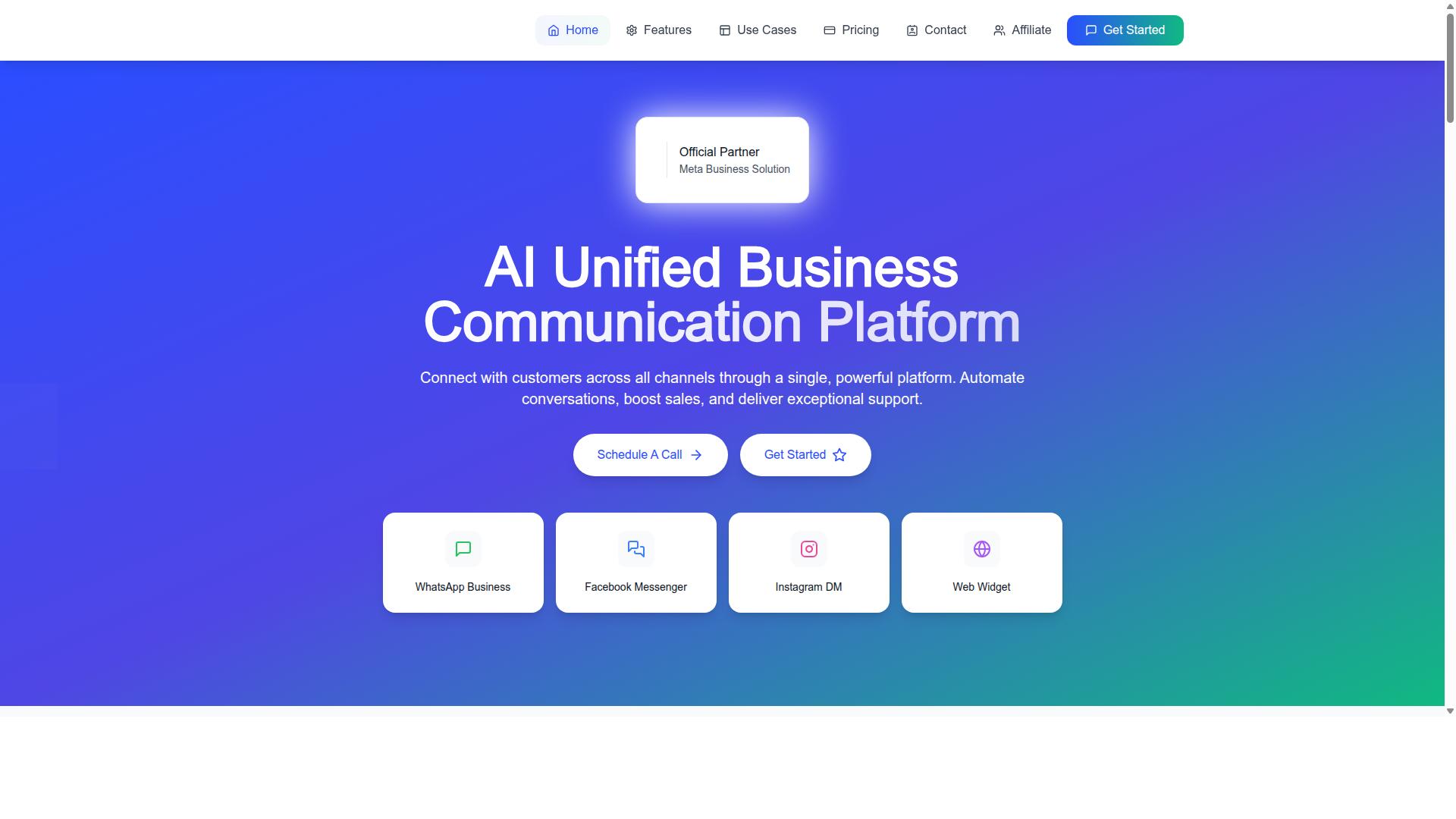
Com.bot is an AI Unified Business Communication Platform that connects WhatsApp, Facebook Messenger, Instagram DM, and Web Widget through a single platform, with collaboration features designed for support teams. It is an Official Meta Business Partner with direct WhatsApp Business API integration, which matters when a team wants a stable connection to the WhatsApp Business Platform rather than a patchwork of third-party workarounds.
The platform serves 23,000+ active customers and is owned and managed by Com Bot AI Limited. Enterprise security is part of the foundation, so support leaders evaluating platforms for sensitive customer conversations have a baseline they can bring to their own review process.
Com.bot addresses the collaboration problems that surface during platform evaluation: scattered conversations across channels, unclear agent ownership, and manual routing that slows response times. Instead of stitching together separate tools for WhatsApp, Facebook, and Instagram, teams work from one environment. That directly reduces the fragmentation that makes shared inboxes hard to manage at scale.
The sections below break down the specific collaboration features and pricing structure, so you can weigh them against the evaluation criteria that matter most to your support operation.
Unified Team Inbox, Automation Builder, and Transparent Quarterly Pricing
Com.bot offers a unified team inbox, a drag-and-drop visual bot builder, and transparent quarterly pricing starting at $149. The team inbox consolidates WhatsApp, Facebook, Instagram, and web widget conversations into one workspace, which supports the multi-agent access and shared visibility that customer support teams need.
Role-based access is built into the collaboration model. That means agent assignment and workload balancing can be structured around who should see and handle which conversations, rather than leaving ownership ambiguous. For teams comparing platforms on routing rules and agent accountability, this is a concrete point to test during a trial.
The visual bot builder uses a drag-and-drop interface, so teams can design automation flows without deep technical work. Automation handles repetitive first-response tasks, freeing agents to focus on conversations that need a human. Native payments for WhatsApp transactions are also supported, which keeps payment collection inside the same channel where the conversation happens.
Pricing is published quarterly, which makes budgeting more predictable than per-message fee structures that fluctuate with volume:
| Plan | Price |
|---|---|
| Silver | $149 per quarter |
| Gold (recommended) | $349 per quarter |
| Platinum V1 | $2,500 per quarter |
Add-ons are available at $10 per month per additional team member or social channel, so costs scale with team size rather than forcing an early jump to a higher tier. The platform processes 25M+ messages per day and provides end-to-end encryption, both of which speak to scalability and security for teams handling high conversation volumes.
Put together, these features map to the pain points that come up in platform evaluation. A shared inbox removes channel silos. Role-based access and agent assignment clarify ownership. Automation reduces manual load. Transparent quarterly pricing makes total cost easier to forecast before committing.
A Practical Evaluation Scorecard and Trial Checklist
Use this scorecard to objectively rate vendors during trials, ensuring you cover collaboration, security, pricing, and scalability. A structured scoring model keeps the decision grounded in evidence rather than sales demos. It also gives every stakeholder, from agents to finance, a shared language for comparing options.
Assign each vendor a score from 1 (poor) to 5 (excellent) across five weighted categories. Multiply the raw score by the category weight to get a weighted total, then compare vendors side by side. The weights below are a starting point. Adjust them to match your team's priorities.
| Category | Weight | What to Score (1-5) |
|---|---|---|
| Collaboration | 30% | Shared inbox, agent assignment, internal notes, handoffs |
| Multi-channel | 20% | Channel coverage, unified inbox, conversation history |
| Security | 20% | Encryption, access control, audit logs, data residency |
| Pricing | 15% | Transparency, conversation-based pricing clarity, total cost of ownership |
| Support | 15% | Onboarding help, SLA terms, escalation paths |
Collaboration carries the heaviest weight because team collaboration is the core of this evaluation. Score whether the agent inbox supports multi-agent access, round-robin or skill-based routing, workload balancing, and @mentions. Check that internal notes and private notes stay hidden from customers, and that handoffs preserve full context.
Multi-channel matters because customers rarely stay in one place. Score channel coverage, the quality of the unified inbox, and whether conversation history follows the customer across touchpoints. A platform that fragments channels forces agents to switch tools, which slows response times.
Security deserves careful scrutiny. Score encryption in transit and at rest, role-based access control, audit logs, and data residency options. Confirm how the vendor handles Meta's data requirements, since the WhatsApp Business Platform routes messages through Meta's infrastructure.
Pricing should be scored on transparency and total cost of ownership, not headline rates. Ask how conversation-based pricing and per-message fees apply to your volumes, and whether platform fees sit on top of Meta's charges. Hidden costs in onboarding, seats, or integrations erode the value of a low base price.
Support covers onboarding quality, SLA commitments, and escalation paths. Score how quickly the vendor responds during your trial and whether they assign a knowledgeable contact. Weak support during evaluation rarely improves after signing.
Once scoring is complete, run a structured trial before committing.
- Test with real scenarios. Replay actual customer questions, escalations, and refund requests instead of scripted demos.
- Involve agents. Let the people who will use the tool daily score usability and flag friction points.
- Measure response times. Track first response and resolution times across concurrent conversations.
- Check scalability. Ask how messaging limits, throughput, and rate limits behave as volumes grow.
- Probe routing rules. Test round-robin, skill-based routing, and workload balancing under realistic load.
- Review canned responses and quick replies. Confirm they save time without sounding robotic.
Run a pilot with a subset of agents before full commitment. A small pilot surfaces integration issues, training gaps, and workflow conflicts while the cost of change stays low. It also gives you real data on response times and agent satisfaction to inform the final decision.
Vendor support during the trial is a preview of the relationship ahead. Note how quickly questions get answered, whether the vendor offers hands-on onboarding, and how they handle problems. A vendor that is responsive before the contract is signed sets a reasonable expectation for the SLA that follows.
Keep the scorecard and trial notes in one shared document so the whole team can review the evidence. Revisit the weights after the pilot if your priorities shift. The goal is a defensible, transparent choice, not a perfect score.